Ask Jubal about the file
Jubal has read the whole file. Ask it what you'd ask an associate, and check its work the same way: every fact comes with the page it came from.
Ask a question
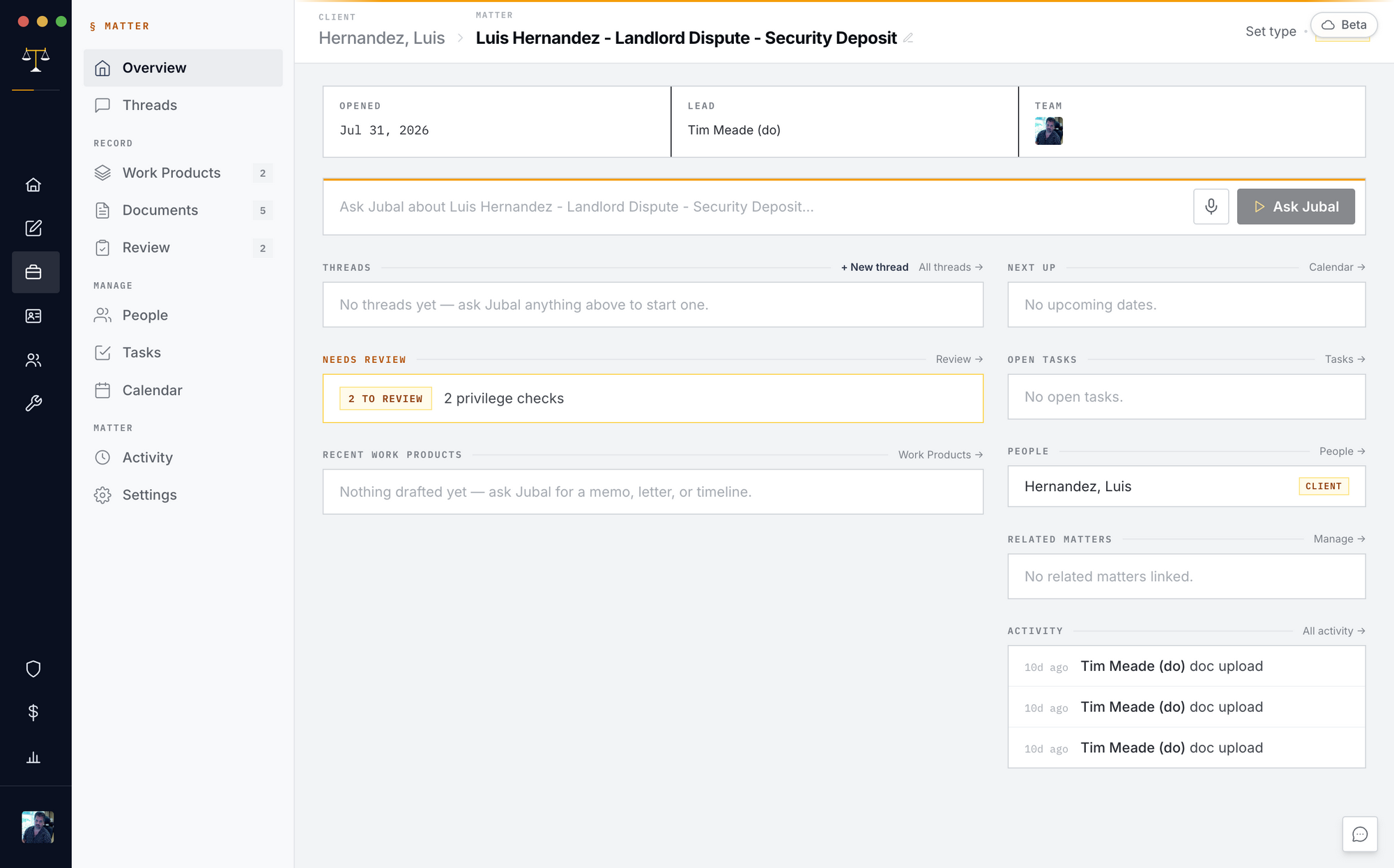
Type in Ask Jubal at the bottom of the matter's Overview, or open Chats and type in the box at the bottom. Your first message starts a new chat, titled from your question.
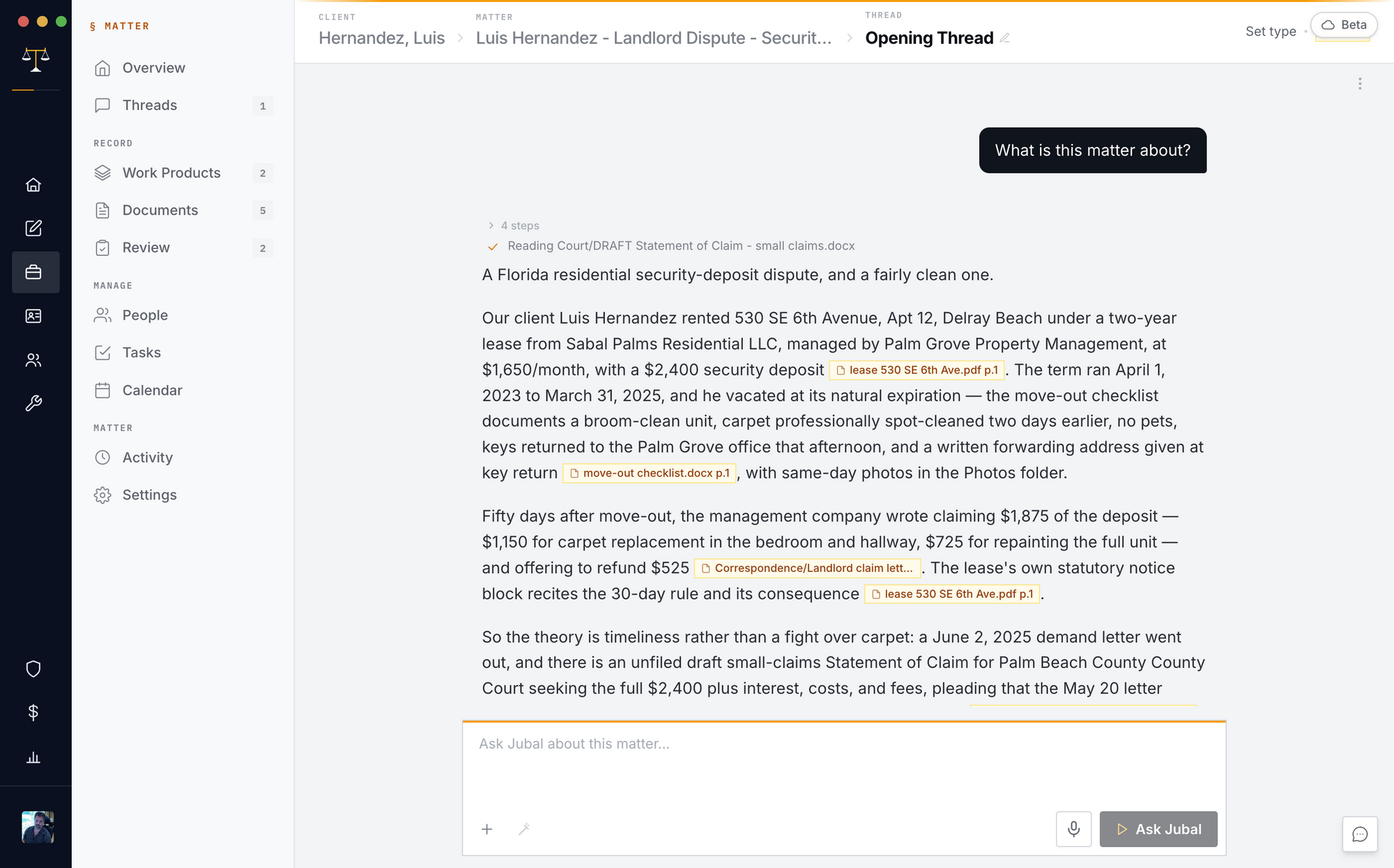
Read the citations
Answers cite the record as [document p.N: "quote"]. Click one and the document opens at that page. When the file doesn't support something, Jubal says it's not in the record rather than guess.
When your question could mean two things, Jubal asks a quick multiple-choice question instead of guessing.
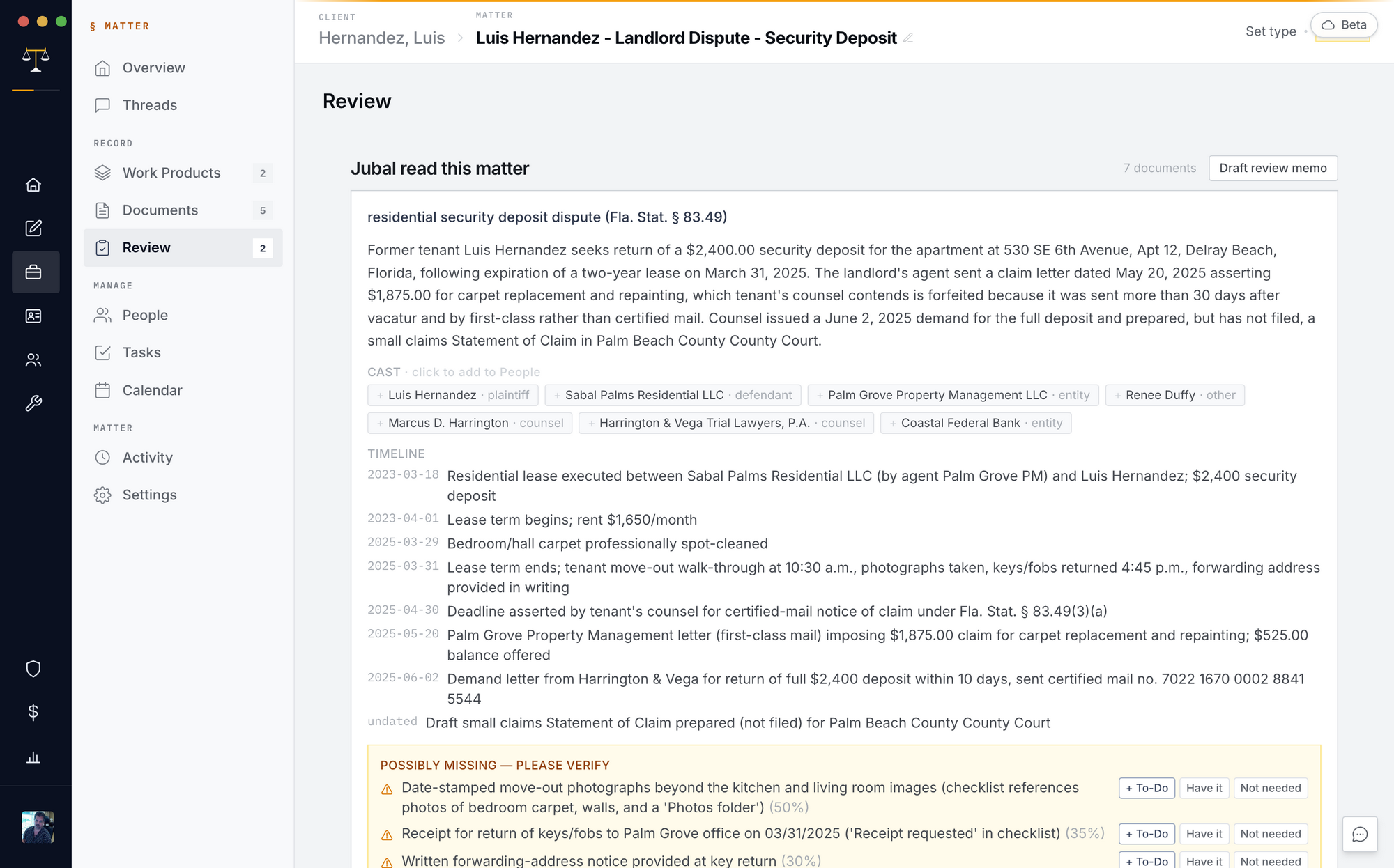
Check the Review tab
Review shows what waits on you: who the firm represents (confirm it once), what Jubal read, the people it found and a timeline of events. Its count turns gold while something waits.
Stop or steer it
Stop (the small square by Send) halts an answer. Sending again mid-answer interrupts with your correction. Teammates can watch the same chat live; if someone else is driving it, your message waits and sends when their answer lands.
You are done when…
You've asked a question and opened a citation at its page.
Review shows nothing waiting on you.
You know how to stop an answer and correct it.