Sidebar → Quick Desk. A rail of your private sessions beside a chat pane — no client, no matter, zero intake. Use it for the drafting that has no case: a recommendation letter, a school letter, a quick decline, "summarize this thing someone emailed me."
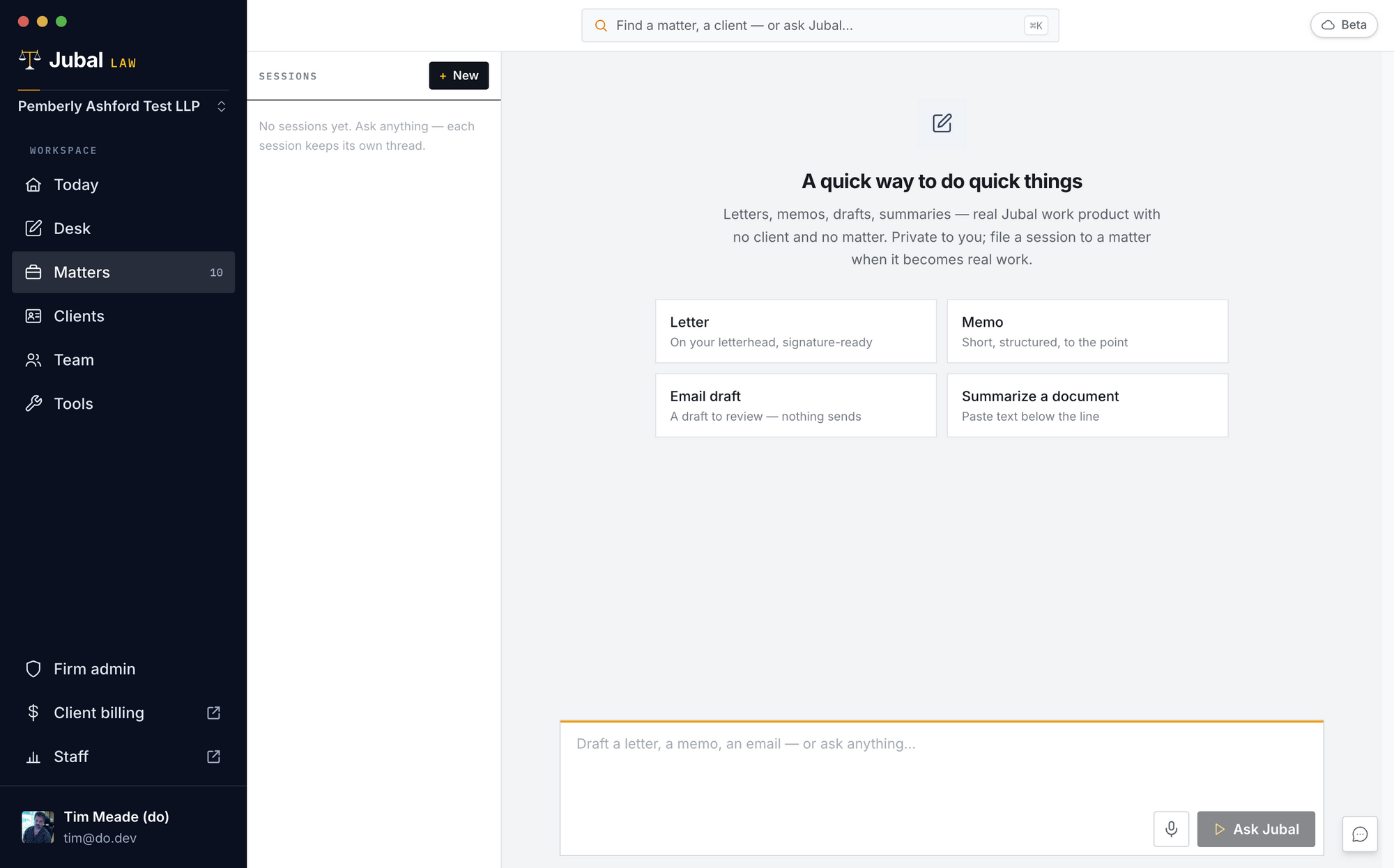
- The four tiles (Letter, Memo, Email draft, Summarize a document) drop an editable scaffold into the composer — fill in the specifics and send.
- Attach a file: drop a document anywhere onto the chat pane — or click the + in the composer — and ask about it. A lease, an insurance policy, something a client emailed: Jubal reads the file right there, with no matter and no upload ceremony. Attached files stay in your private Quick Desk.
- Letters come out on your letterhead, signature-ready (from your contact card + the firm's office address; personal letters use your personal address instead).
- Files Jubal produces are saved to your private Quick Desk automatically and survive machine loss. Everything here is draft-only — nothing is ever sent anywhere by Jubal.
- Move to matter (button in the session header): when quick work turns out to be case work, the whole session — thread and drafts — moves into a matter you pick, becomes team-visible, and its files become real matter documents. The move is recorded in the matter's audit log. Moving does not run a conflicts check — run one from the matter's People page if a new party is involved.
- Quick Desk sessions are private to you — not visible to firm admins. The firm's control is lifecycle: personal data is purged when a member is offboarded.
The Quick Desk cannot answer questions about your matters — it can't see them. Matter questions belong in the matter's threads.